How this comparison works
Voice notes apps look interchangeable in a feature list. They are not, and the difference that matters is rarely a feature at all: it is where your recording goes. Once audio leaves the phone, the app's privacy policy is the only thing standing between your voice and a server you do not control. So this page compares five apps on four axes first, and features second.
- Where recordings are processed. On your device, or uploaded to a server.
- What still works with no connection. Not "syncs later", but genuinely produces a transcript in airplane mode.
- Whether an account is required before you can record anything.
- What the cheapest plan with every feature actually costs per year, in the currency the vendor publishes.
The rules this page follows
- Every number about another app comes from that company's own public pricing page, linked in Sources, and is dated.
- Where a vendor does not publish a figure, the cell says not published. It never says "no" by implication.
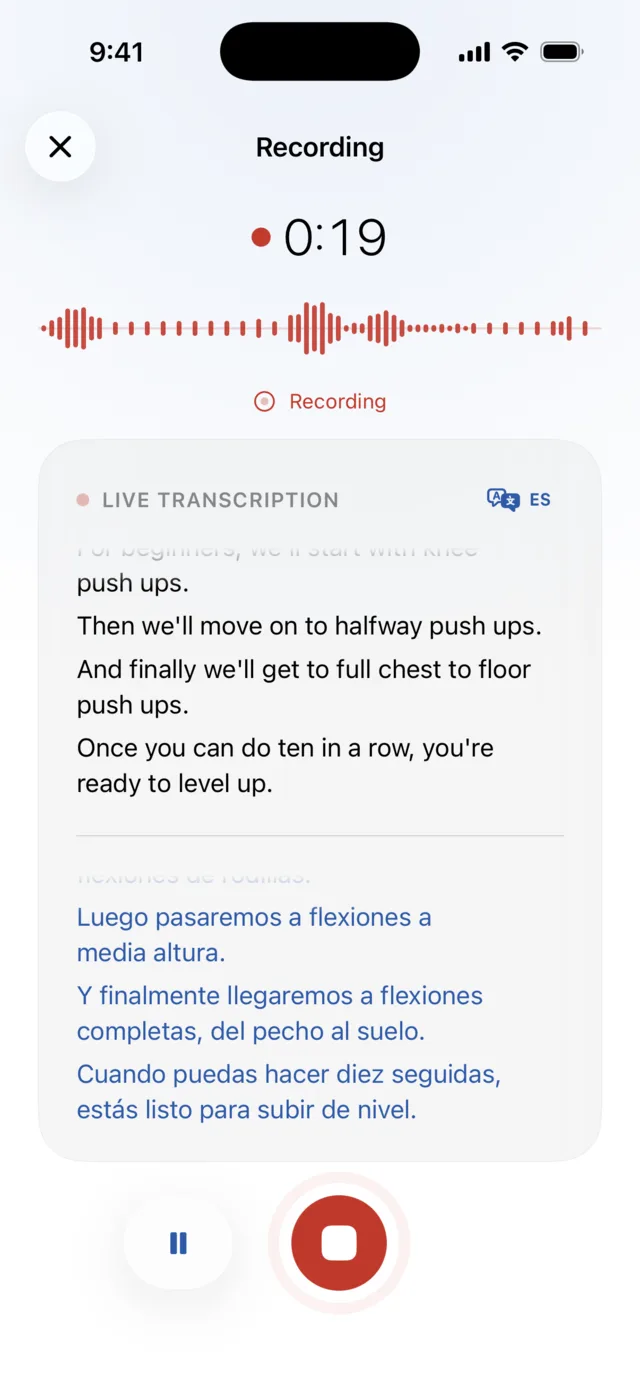
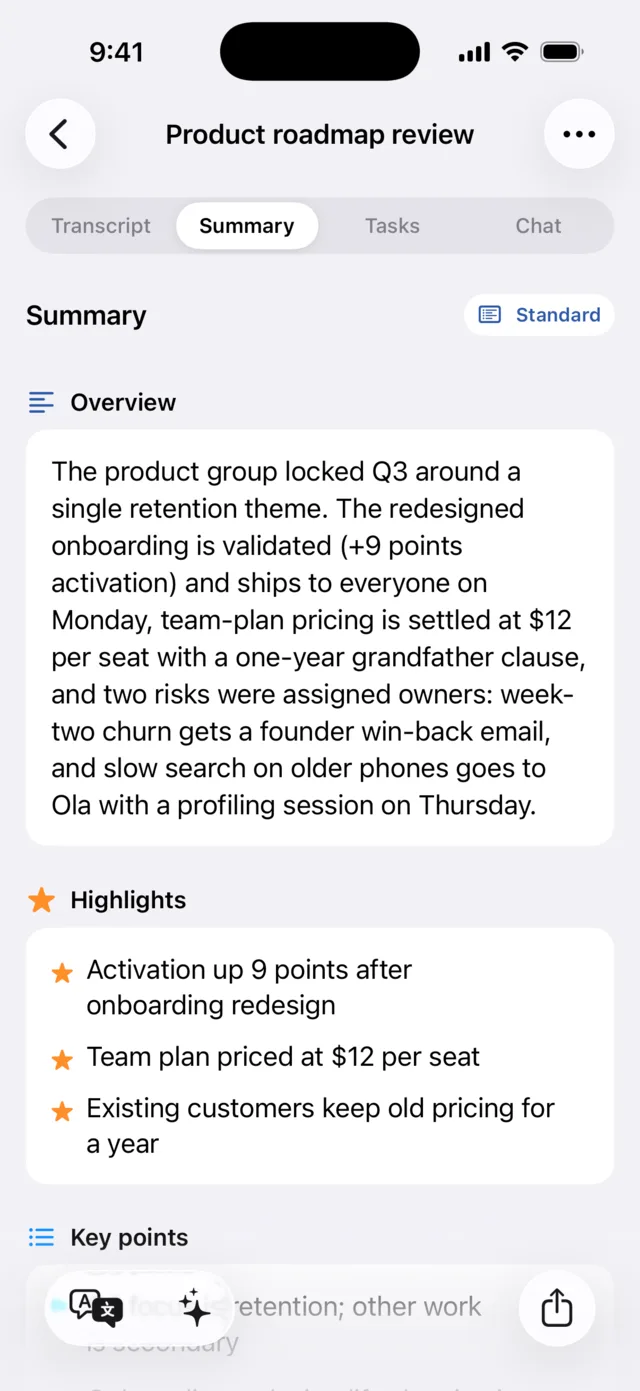
- Only Murble is screenshotted. Screenshotting a competitor's interface to make a point is not a comparison, it is decoration.
- Feature rows that cannot be checked against a public page today are left out of the table and discussed in prose instead.
The table
Five apps, the four decisive axes, plus the caps that most often surprise people after they subscribe. Prices are as published on 25 July 2026 and are per user where the vendor sells per user.
| Murble | Voicenotes | Otter.ai | Whisper Memos | AudioPen | |
|---|---|---|---|---|---|
| Where recordings are processed | On your devicespeech, summaries, chat, translation | Servershosted service | Servershosted service | ServersOpenAI Whisper, ElevenLabs Scribe or Cohere Transcribe | Servershosted service |
| Produces a transcript with no connection | Yesafter the speech model is installed | No | No | No | No |
| Account required to record | Nono sign up, no email | Yesper user plans | Yesper user plans | Not published | Yesper user web app |
| Cheapest plan with every feature | $19.99per year | $9per user per month, no annual plan published | $99.96per year (Pro at $8.33 per user per month, billed annually) | $60per year | $99per year, one time payment |
| One time or lifetime purchase | Yes$59.99 once | Not offered | Not offered | Not offered | Fixed terms$33 / 3 months, $99 / 1 year, $159 / 2 years, no auto renewal |
| Free tier | Unlimitedrecording, transcription and AI summaries | 100 minutes a weekunlimited recordings, 30 day history | 300 minutes a month30 minutes per conversation | Not published | Existslimits not published |
| Recording length limit | None | Not published | 90 minutesper meeting on Pro | Noneon the paid plan | 15 minutesper recording, all plans |
| Monthly transcription cap on the paid plan | None | None | 1200 minutesin app recording, Pro | None | None15 minutes per note still applies |
Murble figures come from the app and the pricing section of this site. Competitor figures come from the vendor pages listed in Sources, read on 25 July 2026. Prices are the vendors' published US dollar amounts and exclude tax.
What each app costs and where it runs
Murble
Murble is also available on Google Play for Android, with local transcription and AI. The prices, Apple integrations and detailed comparison below describe the iOS edition. Android uses optional private Google Drive sync; purchases and libraries are separate between platforms.
Free with no caps for recording, transcription, AI summaries, action items, search and export. Pro is $2.99 a month, $19.99 a year or $59.99 once, and unlocks five extras: Apple Reminders sync, chat with your notes, detailed reports, translations and private iCloud sync. Speech recognition and the AI run on the iPhone itself, through Apple frameworks or a model you download, so a note can go from audio to summary in airplane mode. No Murble account is required. The iOS edition has no analytics SDKs. Android uses Google services that process technical diagnostics, as described in the privacy policy.
Voicenotes
The free plan gives unlimited recordings but caps transcription at 100 minutes a week across meetings, memos and dictation, with 30 day history and support for 100+ languages. Pro is $9 per user per month and lifts the transcription and history limits, adds live transcription and integrations with Zapier, Obsidian, Notion, Claude and ChatGPT. As of 25 July 2026 the pricing page publishes no annual plan and no lifetime purchase. Recordings are processed by the service, not on your phone.
Otter.ai
Built around meetings rather than personal notes. Basic is free with 300 transcription minutes a month and a 30 minute ceiling per conversation. Pro is $16.99 per user per month, or $8.33 per user per month billed annually, which is $99.96 a year, and raises the allowance to 1200 in app recording minutes a month with up to 90 minutes per meeting. Business is $30 per user per month, or $19.99 billed annually, with unlimited meetings and up to 4 hours each. Everything runs on Otter's servers, which is also what makes its meeting bot and team features possible.
Whisper Memos
An iOS app that emails you a transcript after each memo. One plan, $60 a year, with unlimited recordings. It is explicit about the pipeline: transcription runs through OpenAI Whisper, ElevenLabs Scribe or Cohere Transcribe, all of which are network services, so your audio is uploaded. The site publishes no free trial limits and no lifetime option.
AudioPen
Less a recorder than a rewriter: you speak, it turns rambling into clean prose. Pricing is a set of fixed terms with no auto renewal: $33 for 3 months, $99 for a year, $159 for two years. Every plan is capped at 15 minutes per recording, which rules it out for meetings and lectures but suits its actual purpose. A free tier exists and needs no card; the page does not state what it includes. Processing happens on AudioPen's servers.
The other on-device apps
Most comparison pages in this category stop at the cloud services, which makes the on device option look lonelier than it is. It is not. Several iOS apps now run transcription entirely on the device, and at least two of them also do speaker labels locally. If you are shopping on privacy alone, these are your real alternatives, not Otter.
| App | Price | Speaker labels | Languages | Ratings |
|---|---|---|---|---|
| Whisper Notes | $6.99 once | Yes, offline | 100+ claimed | 4.6 from 543 |
| Inscribe: Transcriptions & AI | Free with paid extras | Yes, offline | 14 | 5.0 from 1 |
| Speech to Text - Sono | Free with paid extras | Not advertised | 99 claimed | 4.5 from 28 |
| Utterly | Free; Pro $4.99 weekly to $49.99 lifetime | Not advertised | 26 | None yet |
| Murble | Free; Pro to $59.99 lifetime | Yes, offline, labelled Speaker 1, 2, 3 rather than named | 7 app languages | None yet |
A note on the language numbers, because they are not comparable. Some apps count the languages their speech model can recognise, which for a Whisper-based app is a large number inherited from the model. Murble's 7 is the number of languages the app itself is fully translated into, including its summaries. Read those columns as different measurements, not as a ranking.
Which of these to pick
- Whisper Notes is the established one, and the honest recommendation if you want offline transcription with speaker labels and nothing else. One purchase, no subscription, hundreds of ratings behind it, and a choice of speech models.
- Inscribe is the closest thing to Murble feature for feature: on device diarization, summaries, action items into Apple Reminders, questions answered from the recording, and more export formats. It is newer and has almost no ratings yet.
- Sono and Utterly are lighter: transcription and, for Sono, summaries and chat. Utterly is real time capture in 26 languages with no AI layer on top.
- Murble makes sense if you want the breadth in one app and localised summaries. It is also the only one of these that publishes a method for verifying the privacy claim rather than just asserting it.
Where Murble is genuinely different
Murble has no server that could receive your audio. That is an architectural fact, not a policy promise, and no change to a terms of service document can undo it. But it is not a unique fact: the apps in the table above can say the same, and anyone claiming to be the only on device voice recorder on iOS is not telling you the truth.
So here is the narrower, honest version of what separates Murble from the other on device apps, rather than from the cloud ones:
- Breadth in one app. Transcript, summary, action items, speaker labels, a structured report, questions answered from the recording, translation and semantic search, rather than transcription plus one extra.
- Localised, not just multilingual. The interface and the generated summaries exist in 7 languages, so a Polish or German user reads a Polish or German summary, not an English one about Polish audio.
- A verifiable claim. Murble publishes how to check that it is not uploading anything, including the parts that count against it. None of the alternatives do.
- Airplane mode is a supported mode, not a failure state. Once the speech and AI models are installed, recording, transcription, summaries, reports, chat and translations run with the radios off.
- The expensive parts are free. Unlimited recording, transcription and AI summaries with no monthly minute allowance. The four cloud apps above all meter one or both.
- You can buy it once. $59.99 for lifetime access. Three of the four alternatives sell subscriptions only.
- No account. Install, open, record. No email, no password, no onboarding funnel.
- Anonymous speaker labels stay on the phone. Murble separates voices within one recording and calls them Speaker 1, Speaker 2 and so on. It does not identify anyone.
Where Murble loses
If any of the following matters to you, one of the other four is the better buy, and you should ignore the rest of this page.
Reasons to pick something else
- You need a meeting bot. Otter.ai can join a call, record it and produce shared minutes. Murble records what your microphone hears and nothing else. It cannot dial into a meeting.
- You need a web app or a team workspace. Murble runs on iPhone, iPad, Apple silicon Macs, and Android phones and tablets. There is no browser version, shared team library or admin console.
- You live in integrations. Voicenotes ships Zapier, Notion, Obsidian and assistant integrations. Murble exports files and syncs tasks to Apple Reminders. That is the extent of it.
- You want the best possible transcript regardless of privacy. A phone has a power budget, so on device models are smaller than server models. On difficult audio, several speakers over each other, heavy accents, a noisy room, a large cloud model will often read it better.
- You do not want to download anything. Getting the offline extras means a model download, from about 75 MB for the fastest speech model to about 2.4 GB for the largest summary model. Cloud apps download nothing.
- You want your notes searchable from any browser. Murble's optional iCloud sync puts notes in your own private iCloud database, which is not a web interface you can log into.
Test any of these yourself in five minutes
You do not have to take a comparison table's word for where an app processes your voice. The test is the same for all five and takes about five minutes.
-
Install the app and record a short note with a connection
Thirty seconds of speech is plenty. Let it finish transcribing so you know the normal path works.
-
Turn on airplane mode
Control Centre, airplane icon. Confirm Wi-Fi is off too, since airplane mode leaves Wi-Fi on if you previously turned it back on.
-
Record a second note and wait
An app that processes on a server will queue the note, show a spinner or an error, and produce nothing until you reconnect. An app that processes on the device will write the transcript immediately.
-
In Murble, prepare it once first
Open Settings → Offline transcription and download a speech model, then Settings → Offline AI summaries if you want summaries offline too. The Apple speech engine covers many languages without a download; the Whisper model adds dozens more. After that, step 3 produces a full transcript and summary with the radios off.
Limitations of this page
- Competitor facts go stale. Everything here was read on 25 July 2026. Pricing pages change without notice, and a figure that is right today can be wrong next month. Check the linked source before making a decision on a number.
- Absence of a published figure is not a feature claim. Cells marked "not published" mean the vendor's page did not state it on the date above, not that the app lacks it.
- This is not a transcription accuracy benchmark. Comparing accuracy honestly needs a shared audio set, a scoring method and repeat runs across languages. This page does not attempt it, and nobody should trust a vendor who does it casually.
- The cloud apps do things Murble does not. The table deliberately covers personal voice notes. Meeting bots, team workspaces and integration catalogues are real capabilities, and are covered in Where Murble loses rather than being quietly omitted.
- Written by Murble. This page is published by the developer of one of the five apps. That is why every other number links to its source.
Found something out of date or wrong? Tell us and it gets corrected.
Sources
- Polish version of this comparison: dyktafon z transkrypcją
- On device competitor prices, versions, languages and rating counts: the iTunes Search API and each app's App Store listing, read 25 July 2026.
- Voicenotes pricing, read 25 July 2026: voicenotes.com/pricing
- Otter.ai pricing, read 25 July 2026: otter.ai/pricing
- Whisper Memos, read 25 July 2026: whispermemos.com
- AudioPen, read 25 July 2026: audiopen.ai
- Murble pricing, features and tiers: getmurble.com pricing and the app itself
- Murble privacy commitments: privacy policy
Try the private one
Free with no caps for recording, transcription and AI summaries. No account, so the airplane mode test takes two minutes.
Download on the App StoreThe compact table lives on the landing page. This guide carries the dated detail behind it.