Murble is also available for Android on Google Play, with local transcription and AI. Steps, screenshots and Apple integrations in this guide describe the iOS edition. For Android sync and diagnostics, see the Android privacy policy and support.
Why "private" usually means "encrypted in transit"
Almost every voice notes app calls itself private, and almost every one of them is telling a version of the truth. The audio really is encrypted on the way to the server. The company really does have a policy about who may read it. Both statements are compatible with your recording sitting on somebody else's disk, readable by that company, subject to their retention schedule, their breach history, their next change of ownership and their next change of terms.
The question worth asking is not "is my audio encrypted?" but "does my audio leave the phone at all?" Only the second one has an answer that a change of policy cannot reverse.
This matters more than it used to, because the useful part of a voice notes app is now the AI: the summary, the action items, the answer to "what did we decide?". Large models are expensive to run, so most apps run them on servers, which means the transcript, and usually the audio, has to be uploaded. Privacy and AI features were genuinely in tension until on device models got good enough. On current iPhones they have.
The checklist, and how to run it
Six questions. You can answer all of them for any app in about ten minutes, without trusting a marketing page.
-
Does it work in airplane mode?
The most informative test there is. Turn the radios off, record thirty seconds, and see whether a transcript appears. If it queues, spins or errors, the processing is happening somewhere else. Check Wi-Fi is off as well: airplane mode leaves it on if you turned it back on earlier.
-
Can you record before creating an account?
An account exists so the service can associate your data with you across devices. That is not sinister on its own, but an app that needs no account cannot be holding your notes on a server keyed to your identity, because there is no identity.
-
What does the App Store privacy label say?
Scroll to App Privacy on the product page. "Data Not Collected" is a strong signal. Any entry under "Data Linked to You" tells you the categories the developer has declared.
-
Does the privacy policy name a third party AI provider?
Search the policy for the word "processor", "sub processor" or the names of AI vendors. An app that sends transcripts to a third party model has to disclose it. This is where you find out how many companies your meeting passes through.
-
Is there a retention and deletion answer?
If audio is stored on a server, ask how long it stays after you delete the note, and whether deletion covers backups and model training sets. Vague answers here are the whole point of the question.
-
What happens when you stop paying?
With server side apps, access to your own archive usually ends with the subscription. With local apps the files stay on your device either way.
How Murble answers it
Murble was built to pass its own checklist. The workflow is three steps and none of them involve a network request carrying your content.
-
Record
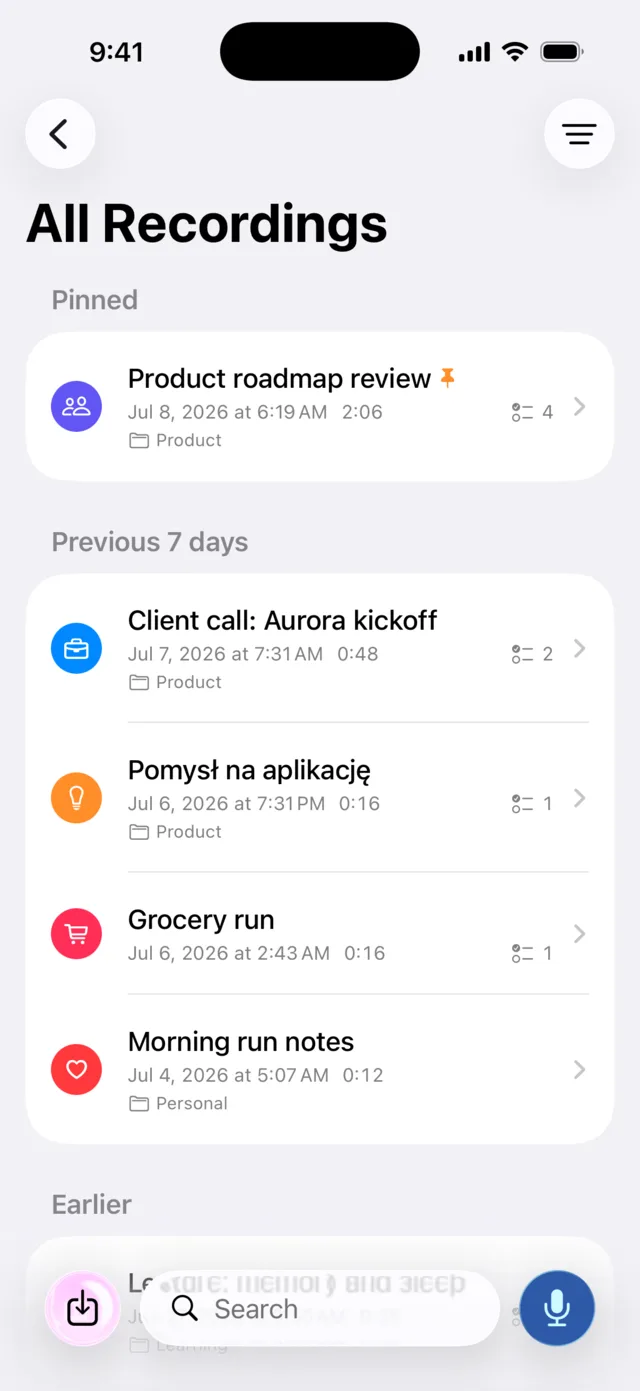
Tap the record button, or start from Siri, Shortcuts, the Action button, Control Centre or a widget. Audio is written straight into the app's own private storage on the device. There is no upload step, and there is no account to create first: install the app and start talking.
-
Transcribe on the device
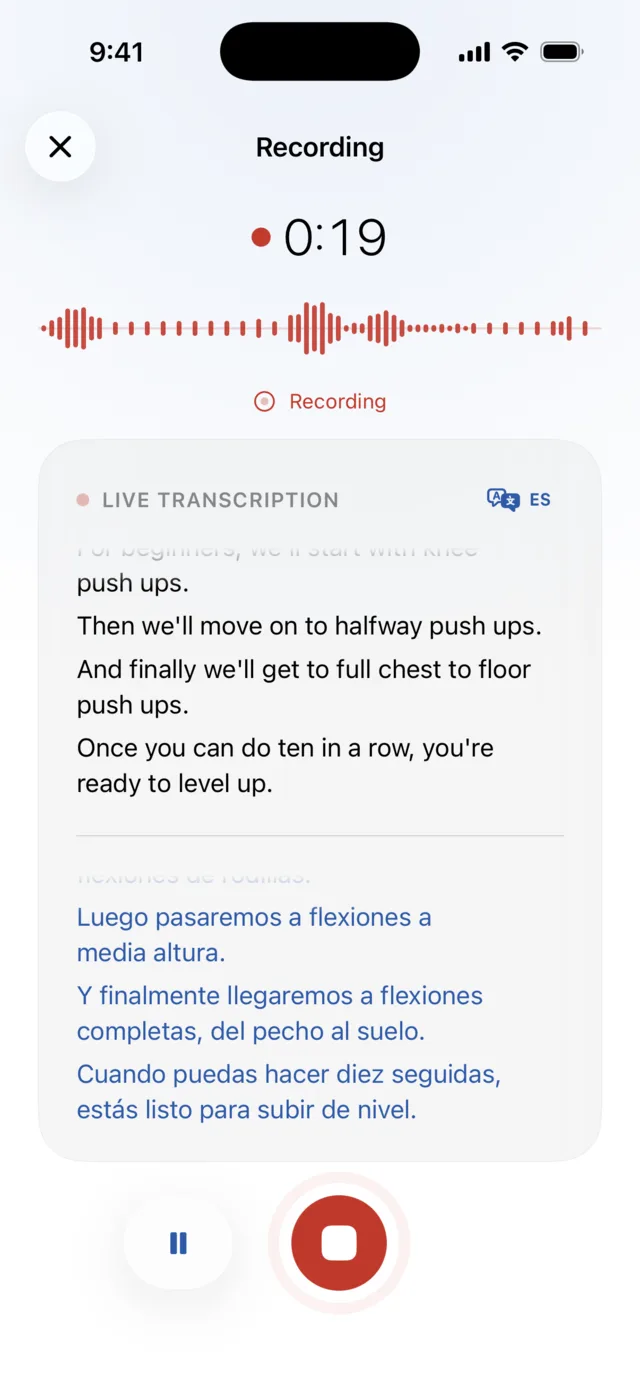
Speech recognition runs on the iPhone through Apple's speech frameworks, or through a Whisper model you download for wider language coverage. The transcript appears live while you speak, then a final pass tidies it. In conversations, Murble can add anonymous speaker labels, which separate voices within the recording without identifying anybody.
-
The note stays where it was made
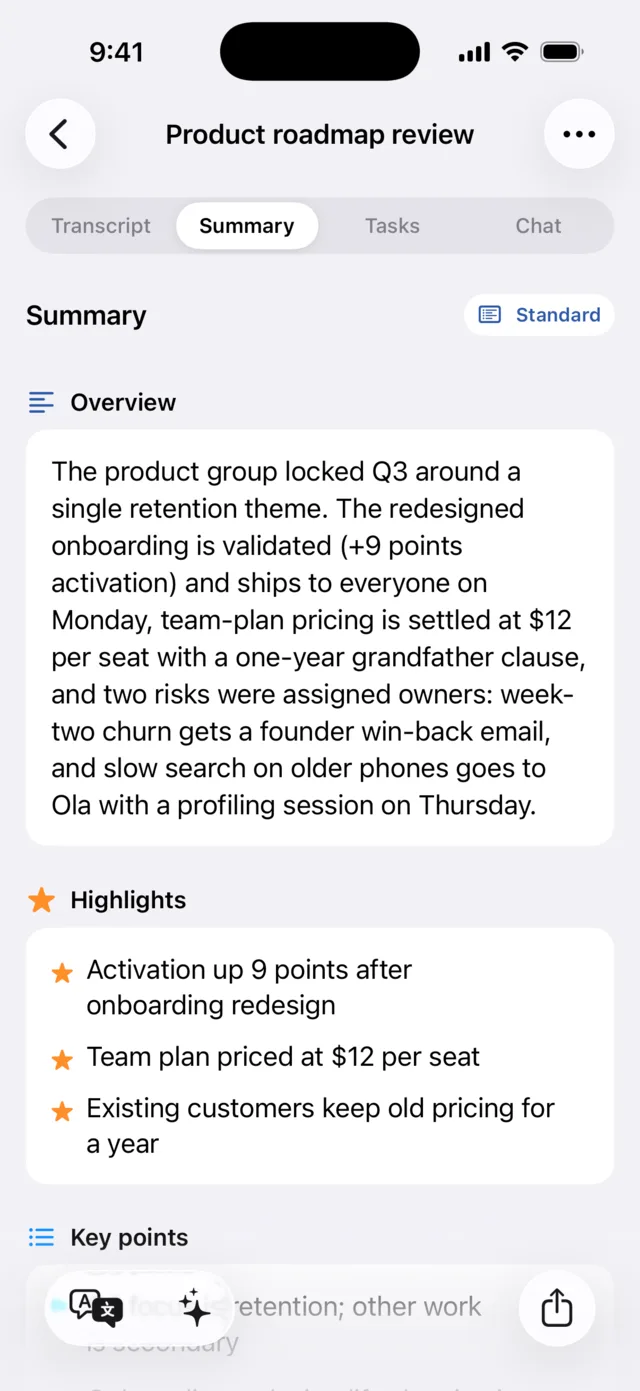
Summaries, action items, reports, chat and translations all run on the same phone, using Apple Intelligence or a model you download. Nothing about the note is sent anywhere for processing. Notes leave the device only when you choose: an export you share, or the optional iCloud sync described below.
The checklist, answered
- Airplane mode: works, once the speech and AI models you want are installed.
- Account: none. No email, no password, no sign up screen.
- App Store privacy label: the privacy manifest declares no tracking and no collected data types.
- Third party AI provider: none. Processing uses Apple frameworks on the device or a model file you download.
- Retention: not applicable to a server, because there is not one. Deleted notes sit in Recently Deleted for up to 30 days, then go.
- If you stop paying: notes, transcripts, summaries and tasks stay on the device and stay readable. Only the five Pro extras switch off.
What is actually stored, and where
- Audio lives in the app's own directory with the system's complete file protection, which means it is unreadable while the device is locked. It is deliberately kept out of device backups, so a backup of your phone does not quietly carry copies of every recording. If you want durable copies, use export or turn on iCloud sync.
- Transcripts, summaries, tasks and notes live in the app's local database on the device.
- No content goes to a Murble processing server. There is no Murble account system or content processing server. The iOS edition has no analytics SDK. The privacy manifest lists no collected data types and no tracking domains.
- You can lock the app behind Face ID, and optionally have Murble delete the audio automatically once a note has been transcribed: keep the words, drop the voice.
Honest limitations
- iCloud sync is a real network feature. It is off by default and it is a Pro extra PRO. When you turn it on, your notes are stored in your own private iCloud database under your Apple Account. That is Apple's infrastructure, not a Murble server, and we cannot read it, but it is honest to say your data is no longer only on the phone.
- Some AI features depend on your device. On an iPhone with Apple Intelligence, Murble can use it. On other supported devices you download a local summary model sized for the available memory, from about 400 MB up to about 2.4 GB. With no model available, Murble says so and offers a download rather than inventing a summary.
- Model downloads use the network. Speech and AI model files come from a server the first time. That transfer contains no content of yours, but it does need a connection, and it is not small.
- Spotlight indexing is a choice. If you enable it, note titles and short previews become visible to system search. It is optional and can be switched off and removed at any time.
- Meeting mode reads your calendar locally. With permission, Murble uses a nearby event's title and time to name a recording. That stays on the device, but it is a permission you are granting.
- Exports leave. The moment you share a PDF, a transcript or an audio clip into another app, that app's rules apply, not ours.
- Recognition is not perfect. On device models are smaller than server models. Difficult audio, crosstalk and strong accents will produce mistakes, and the transcript is editable for exactly that reason.
Sources
- Murble privacy commitments and data handling: privacy policy
- Tier boundaries and what Pro unlocks: pricing on the landing page
- Feature behaviour described above: the shipping app, plus the landing page FAQ
- Dated pricing and processing facts for other apps: the comparison guide
Run the airplane mode test on Murble
Free with no caps for recording, transcription and AI summaries. There is no account, so testing it costs you nothing but two minutes.
Download on the App StoreFull feature detail lives on the Murble landing page.